Canceling Your Paid Plan
Written By Team Streamalive
Last updated 6 months ago
What does canceling your plan mean?
When you cancel your plan, your subscription is stopped and will not renew on the next billing cycle.
Your current paid plan will remain active until the end of your billing period.
After that, your account will automatically move to the Free plan.
No refunds are provided for time already used, or any remaining time in the current billing period.
How to cancel your plan
You can cancel your subscription at any time by following these steps:
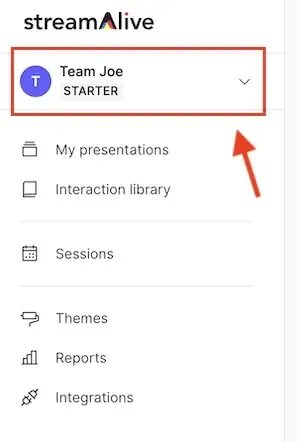
Click on your profile icon in the top navigation
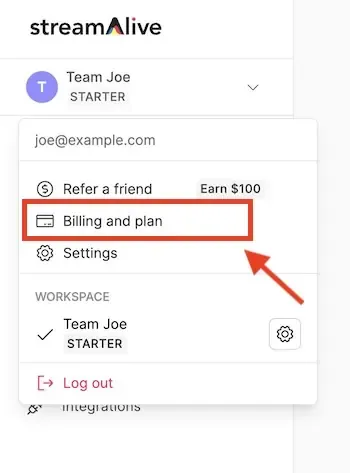
Go to Billing & Pricing
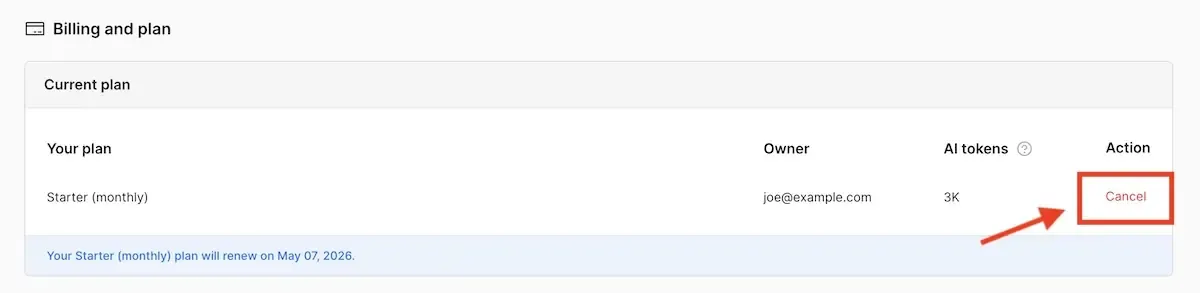
In the Current Plan section, click Cancel
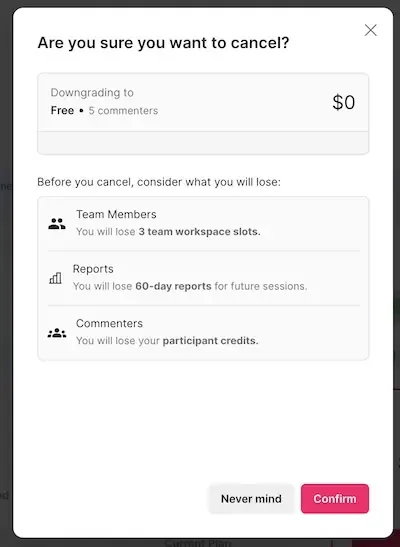
In the confirmation dialog, click Confirm
Once completed:
The page will refresh
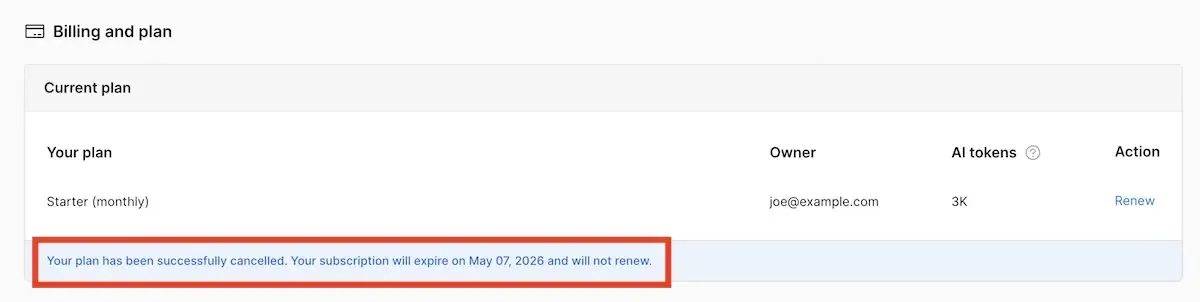
You will see a notification confirming that your plan has been canceled
The Current Plan section will display the date when your subscription will end
After this date, your account will automatically switch to the Free plan.
Step-by-step screenshots
Follow the screenshots below to guide you through the process:
Home Profile Dropdown
Billing & plan link
Cancel link on Billing page
Cancellation confirmation dialog
Cancellation success screen
Contact Us
📧 Email our support team at support@streamalive.com, or
📅 Book a call with us at https://www.streamalive.com/here-to-help, or
Send us a message using the blue chat bubble at the bottom-right corner of the screen
We’re always happy to understand what’s going on and explore the best possible solution with you.
Was this helpful?
Still need help? Ask the team